Objective
Create your own unique trading card that has the look and feel of the broader examples of trading cards for sports, board games, video games, or other areas of interest.
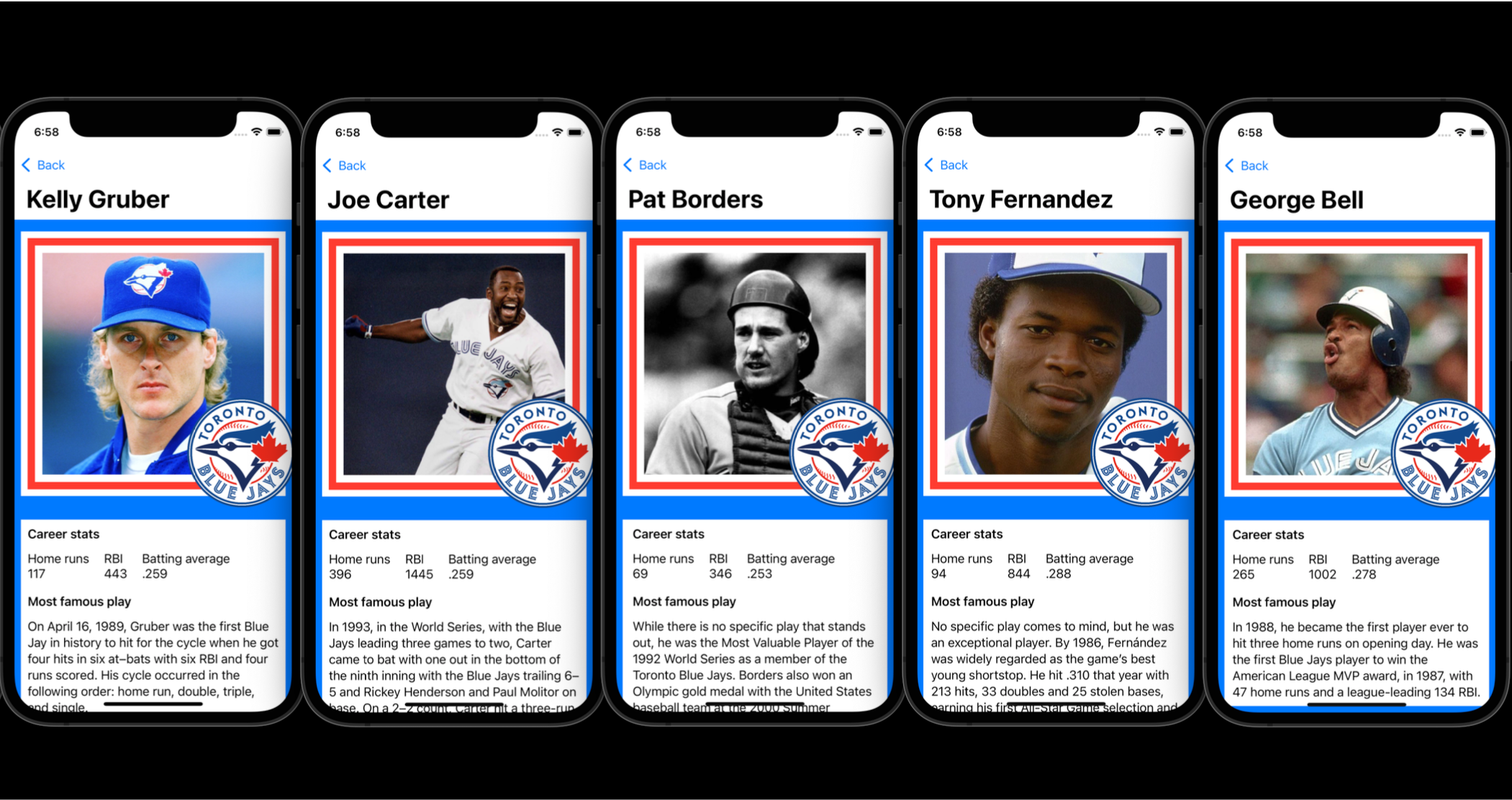
Purpose
An opportunity to demonstrate your understanding of key concepts. Specifically, using structures to:
- describe related data
- build user interfaces
Success criteria and exemplar
-
Made a rough plan where you have identified how various structures (
VStack,HStack,ZStack,Image, et cetera) might be used to create part of your design.For example:
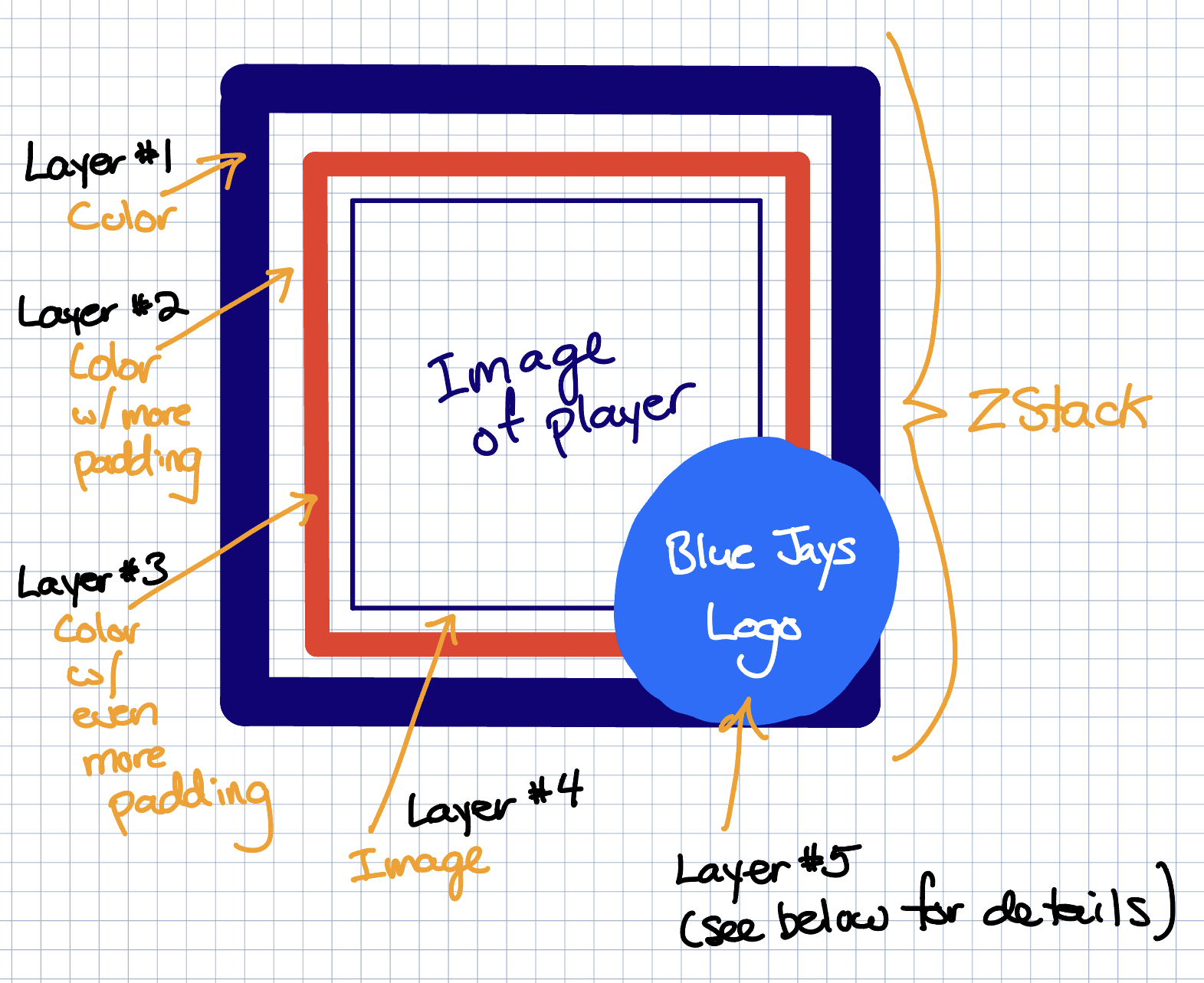
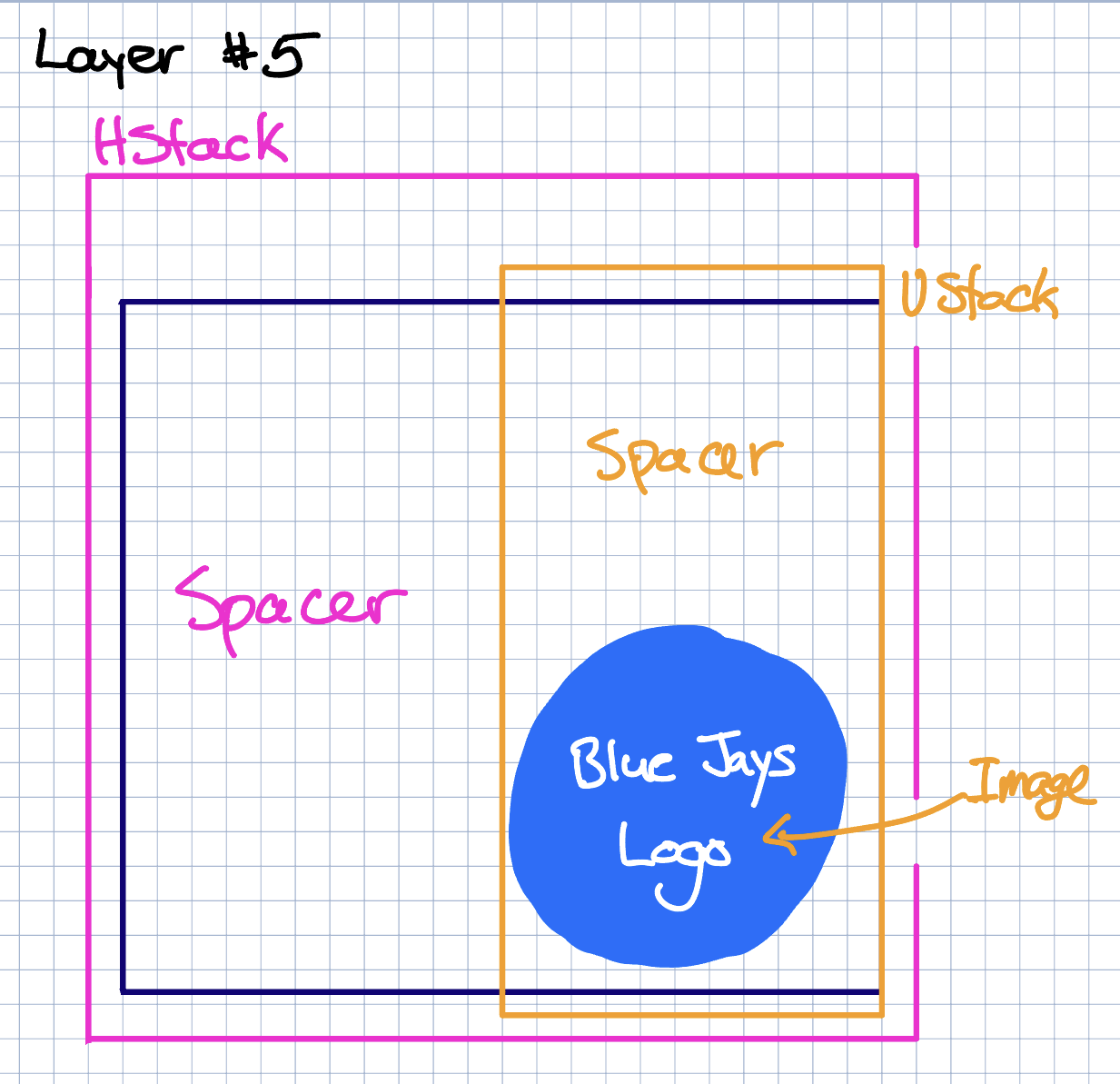
And:
-
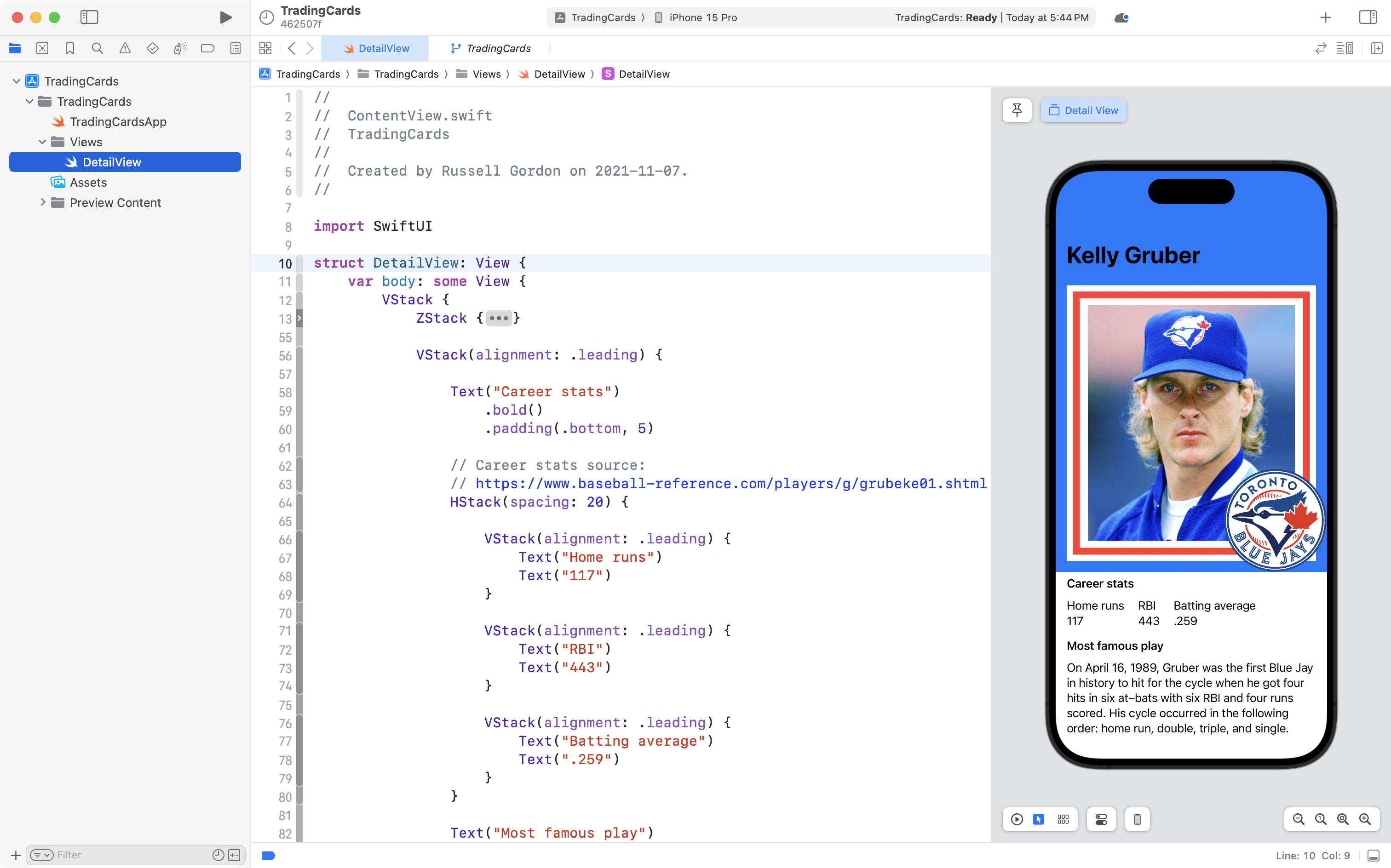
Created a static layout where the look and feel of a trading card is reproduced.
-
Created a structure named
TradingCard(or similar) using appropriate property names, capitalization, and selection of data types that will allow you to store the data shown on your cards’ static layout.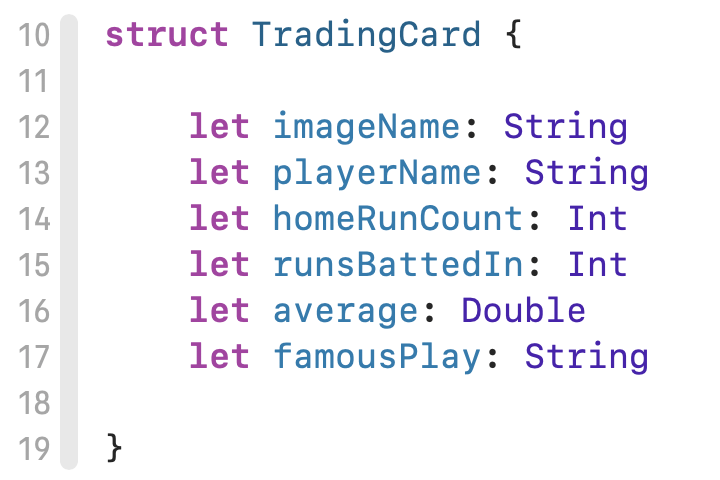
-
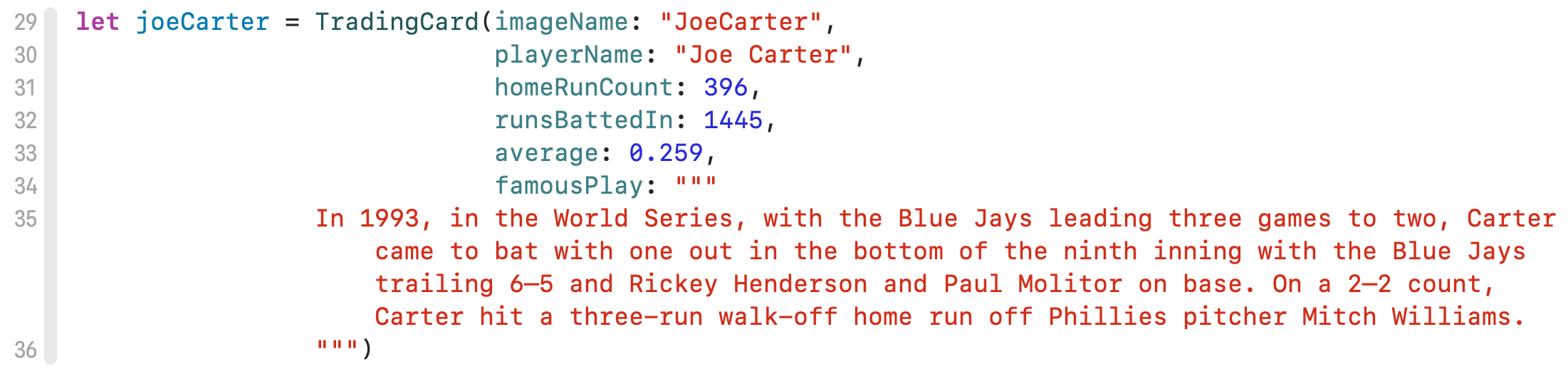
Created instances of your structure to hold information for cards.
Here is one example:
-
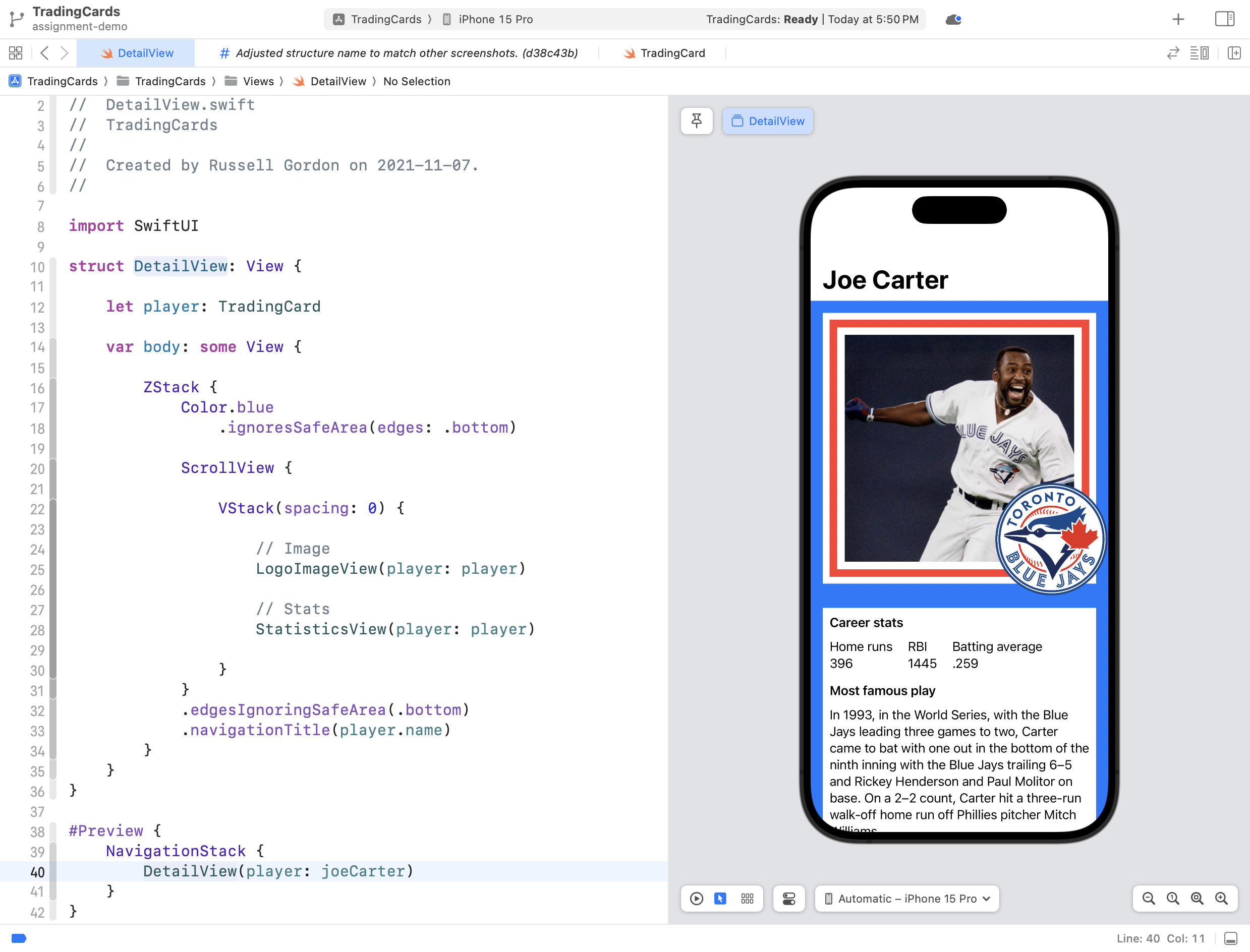
Applied abstraction by converting your static layout to use a property named
card(or similar) that accepts an instance of yourTradingCardstructure.To demonstrate even more mastery of abstraction, use helper views to make the layout more concise and easier to understand:
-
Written code that is well-formatted and easy to read.
-
You have used source control well by committing and pushing your work to a remote on GitHub at regular intervals.
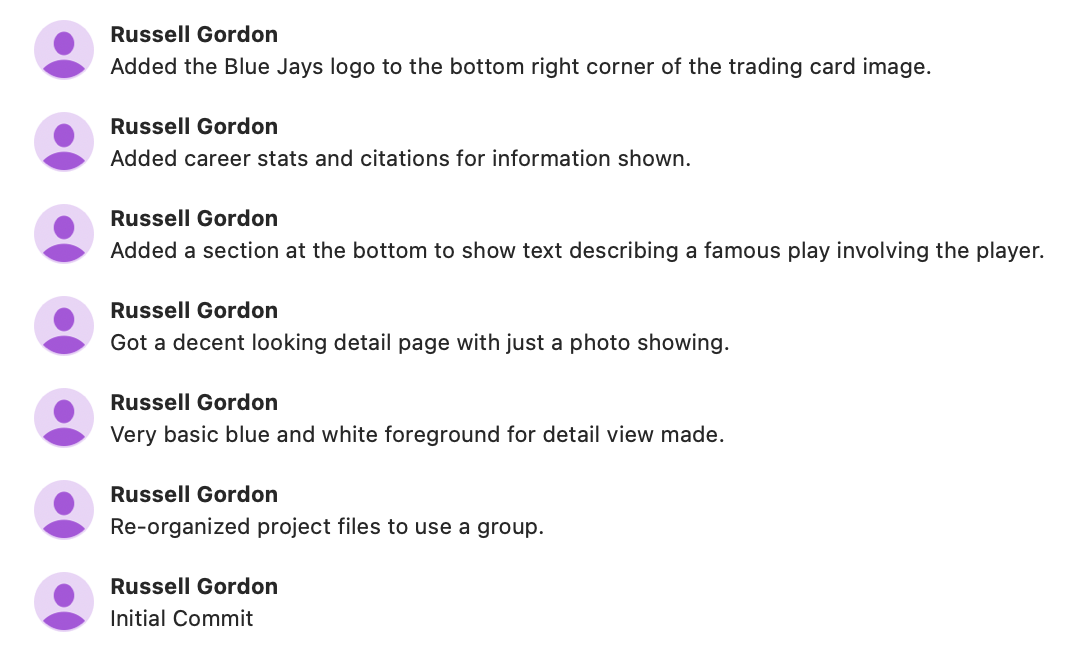
NOTE: This is not a complete list of commits; your actual list of commits would be much longer.
What you’ll need to begin
- Xcode
- the SF Symbols App installed on your computer, also for reference
- your copy of SwiftUI Views Mastery, downloaded to your computer, so you can look up examples as needed
Getting started
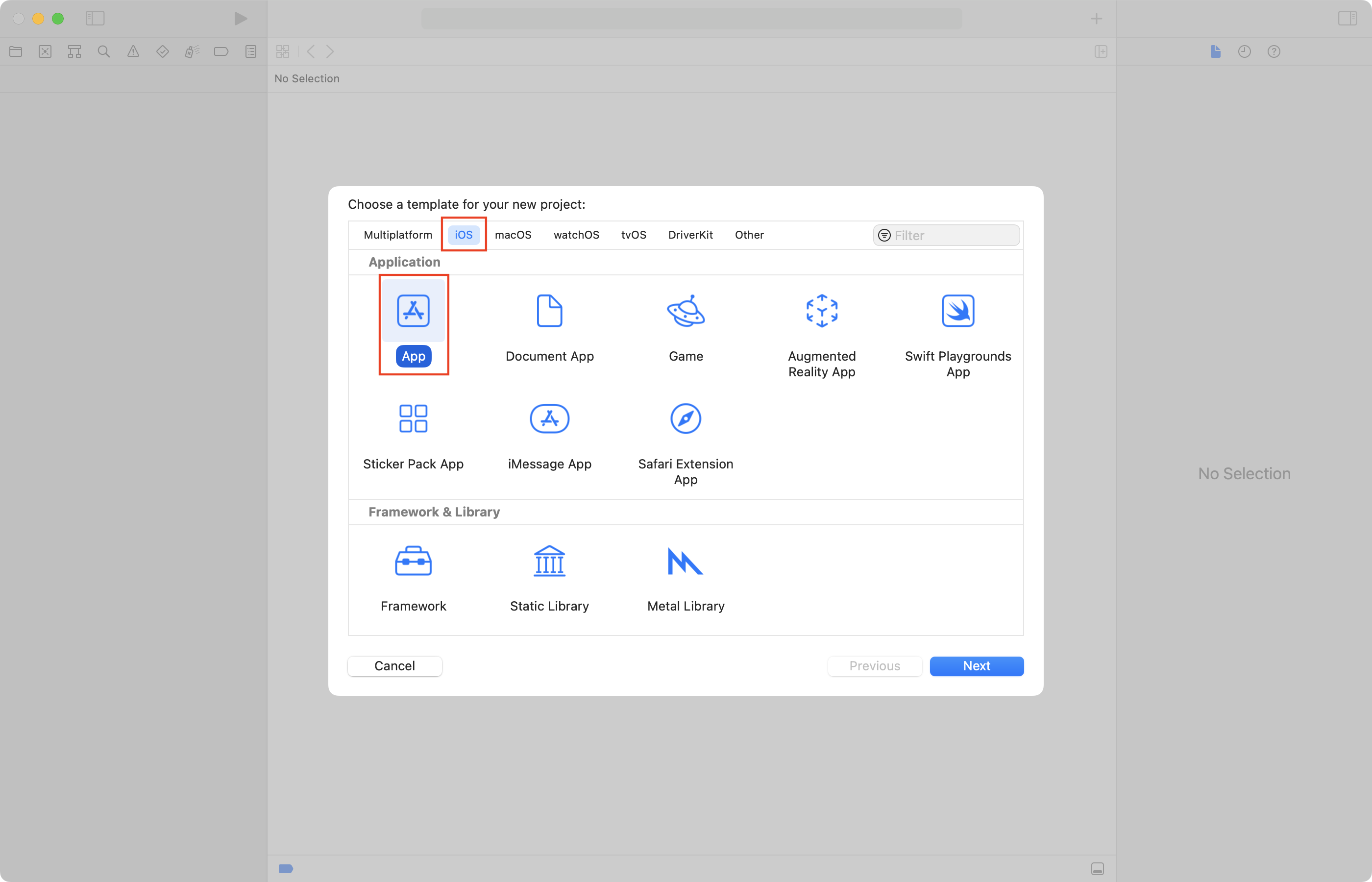
-
Create a new iOS app:
-
Name the app
TradingCards: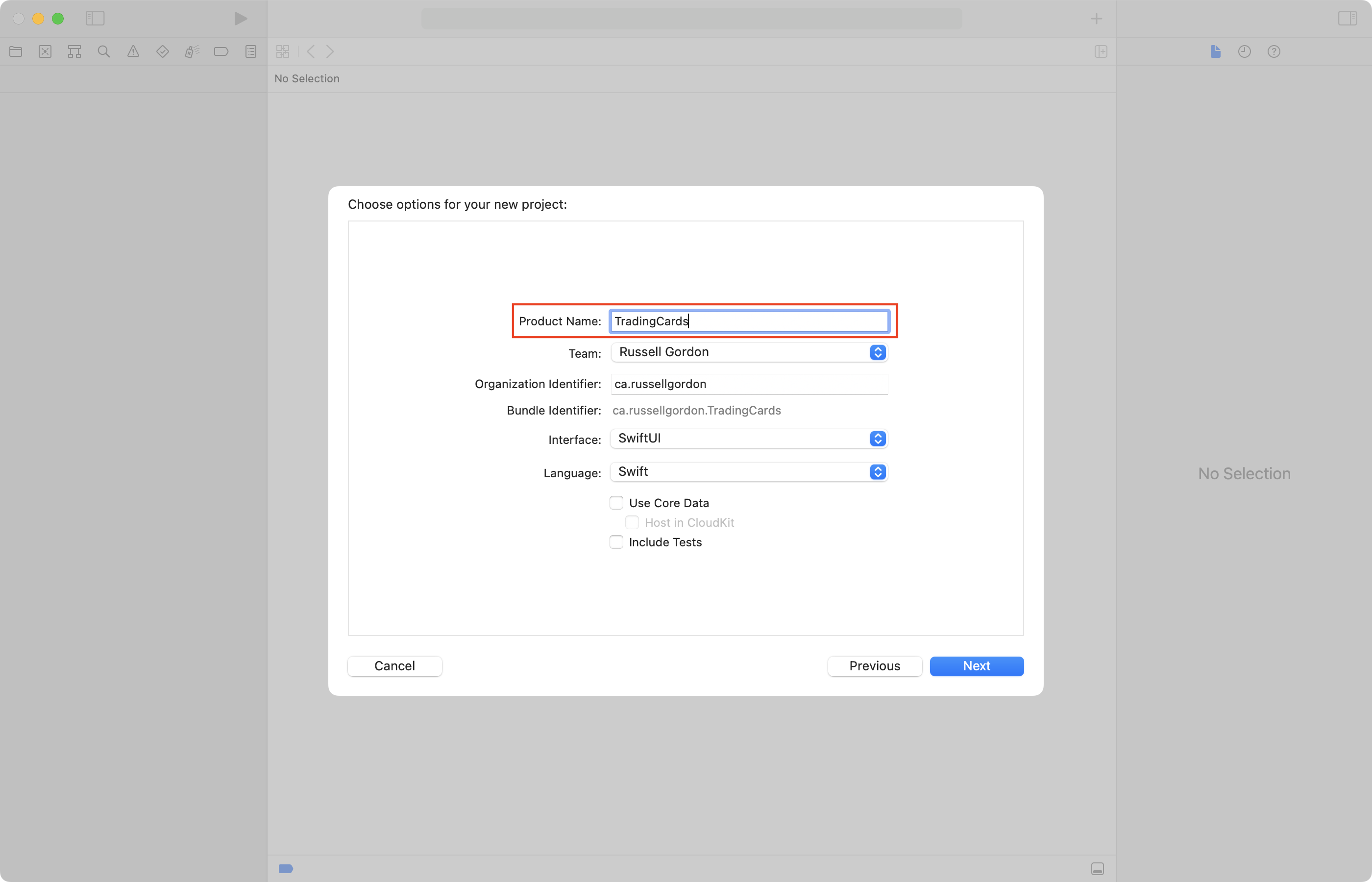
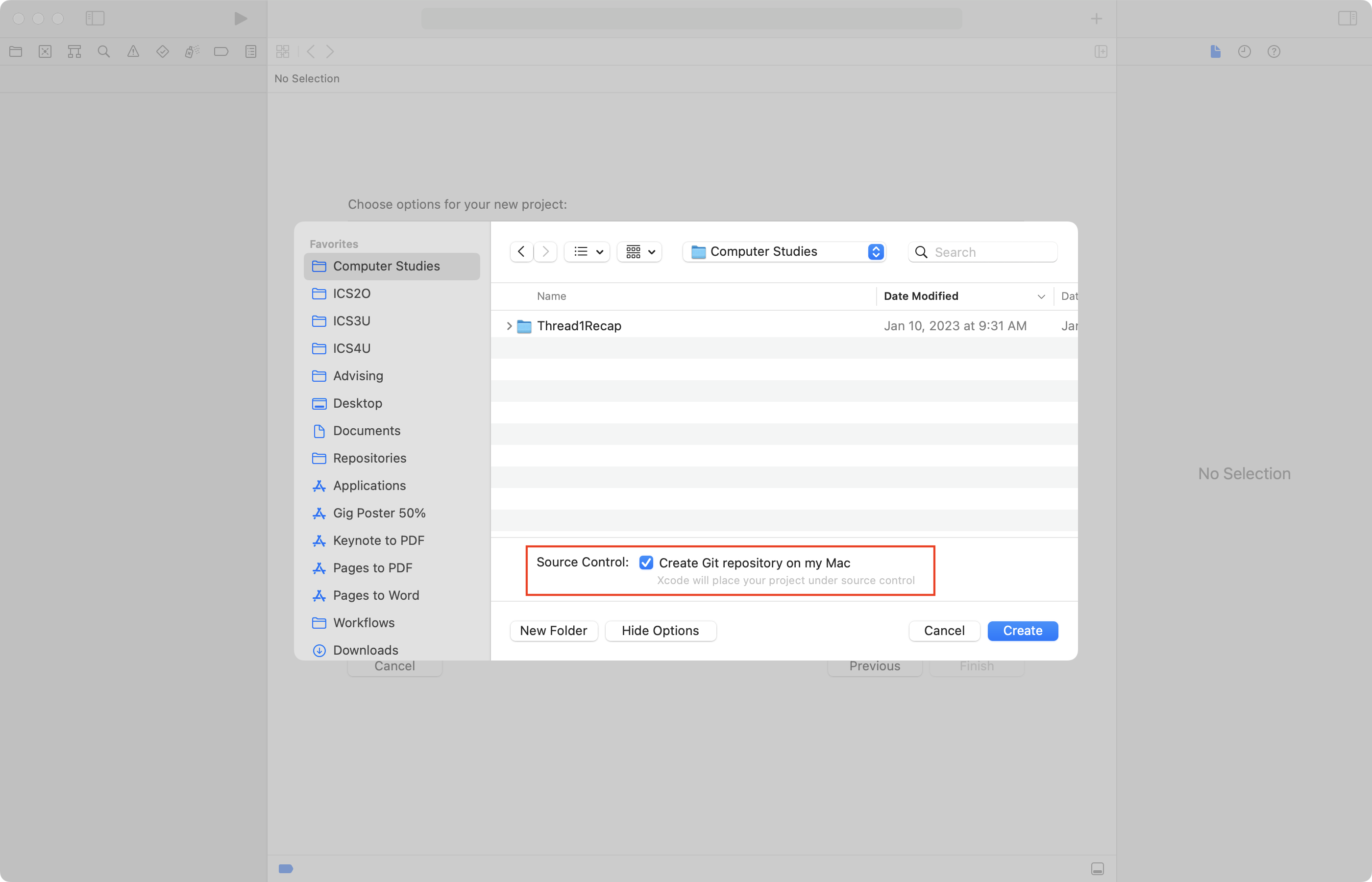
-
Save the app in your Computer Studies folder, ensuring that source control is enabled:
-
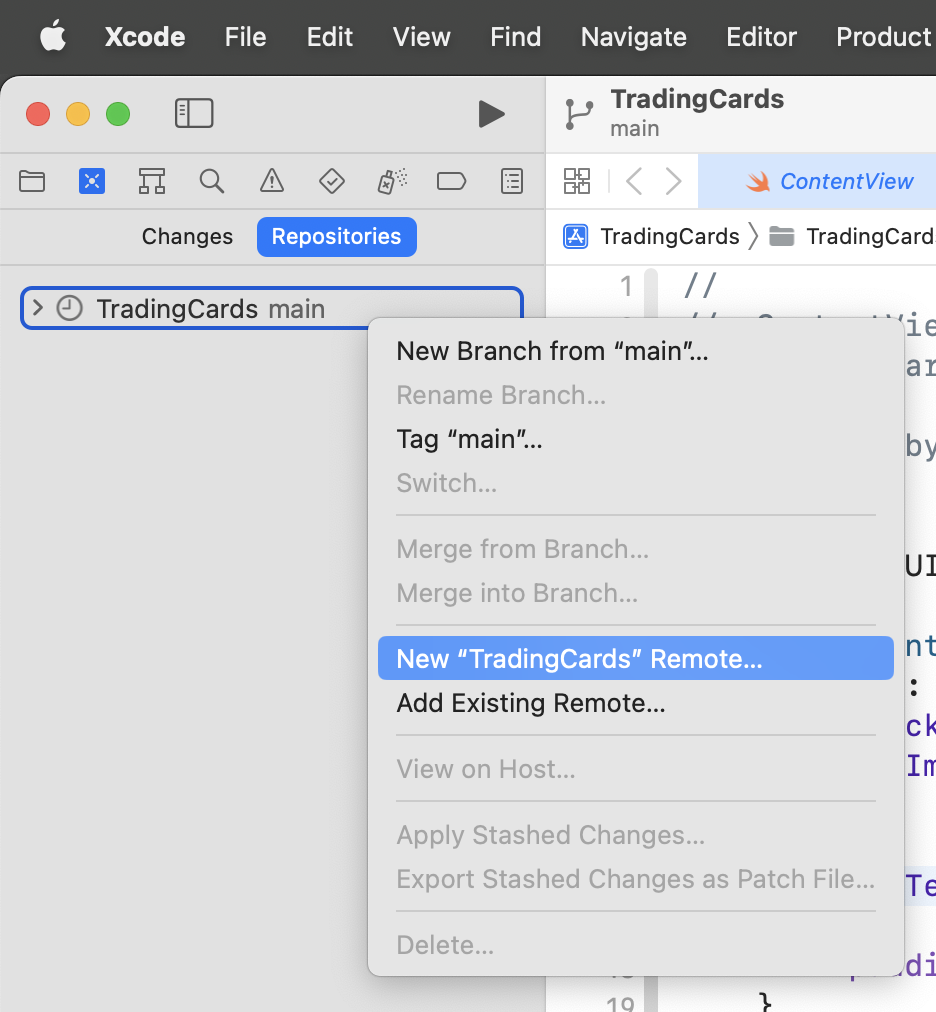
Then create a public remote on GitHub:
-
Now work to complete each item described above in the success criteria.
IMPORTANT
Remember to commit and push your work regularly.
Progress and due date
The task is due by 11 PM on Monday, November 18, 2024.
After each class, on Notion, be sure to:
- Share progress regularly
- Be sure to post screenshots
- Be sure to post the address of your GitHub remote at some point
NOTE
Your work is not considered as handed in until the GitHub remote has been shared and you have committed and pushed all your work.
Further examples
Here are some examples of possible layouts that you could aim to reproduce, or use as inspiration for a similar layout:
.png)
.png)
.png)
.png)
.png)
.png)
.png)
.png)
.png)
Tips
Typefaces
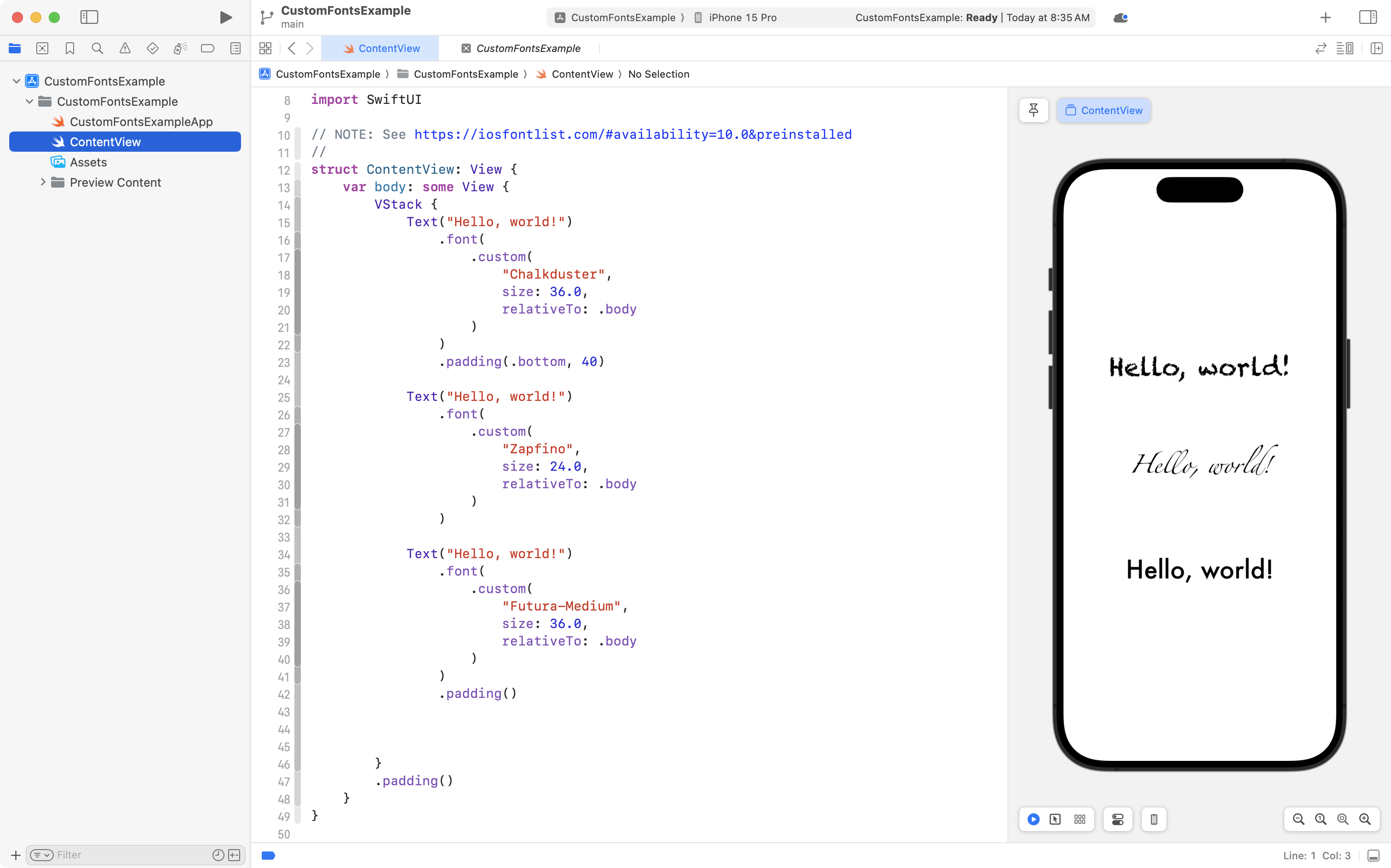
You can use other typefaces in iOS applications.
Consult the iOS Fonts website for a quick reference.
TIP
Page 478 in SwiftUI Views Mastery has examples of how to use custom fonts, as well.
Rotation (2D)
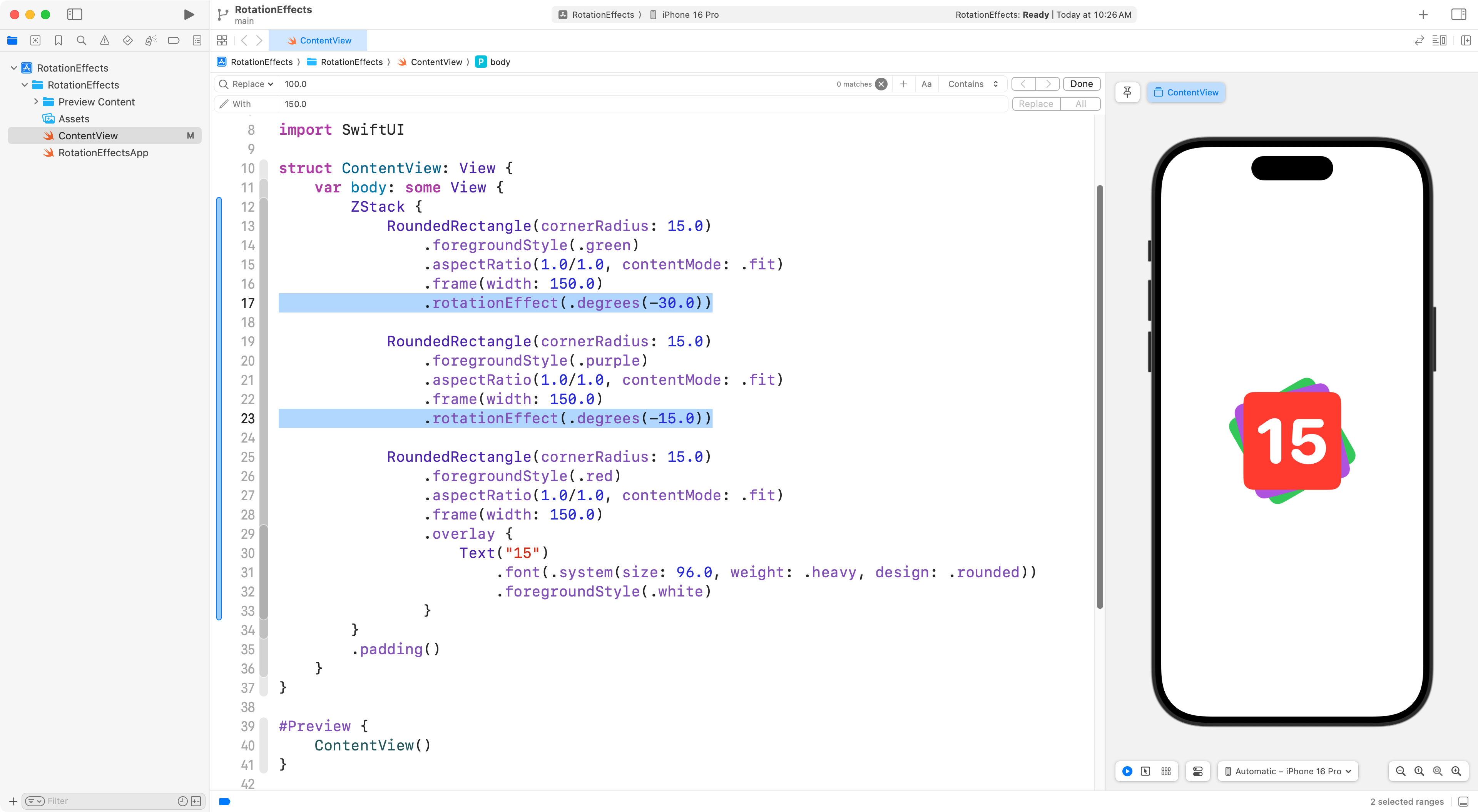
Any view in SwiftUI can be rotated using the .rotationEffect view modifier.
Here is a short example of how rotation of views might be used to create a nice effect:
TIP
Read more about rotating views in two dimensions on page 901 of SwiftUI Views Mastery.
Rotation (3D)
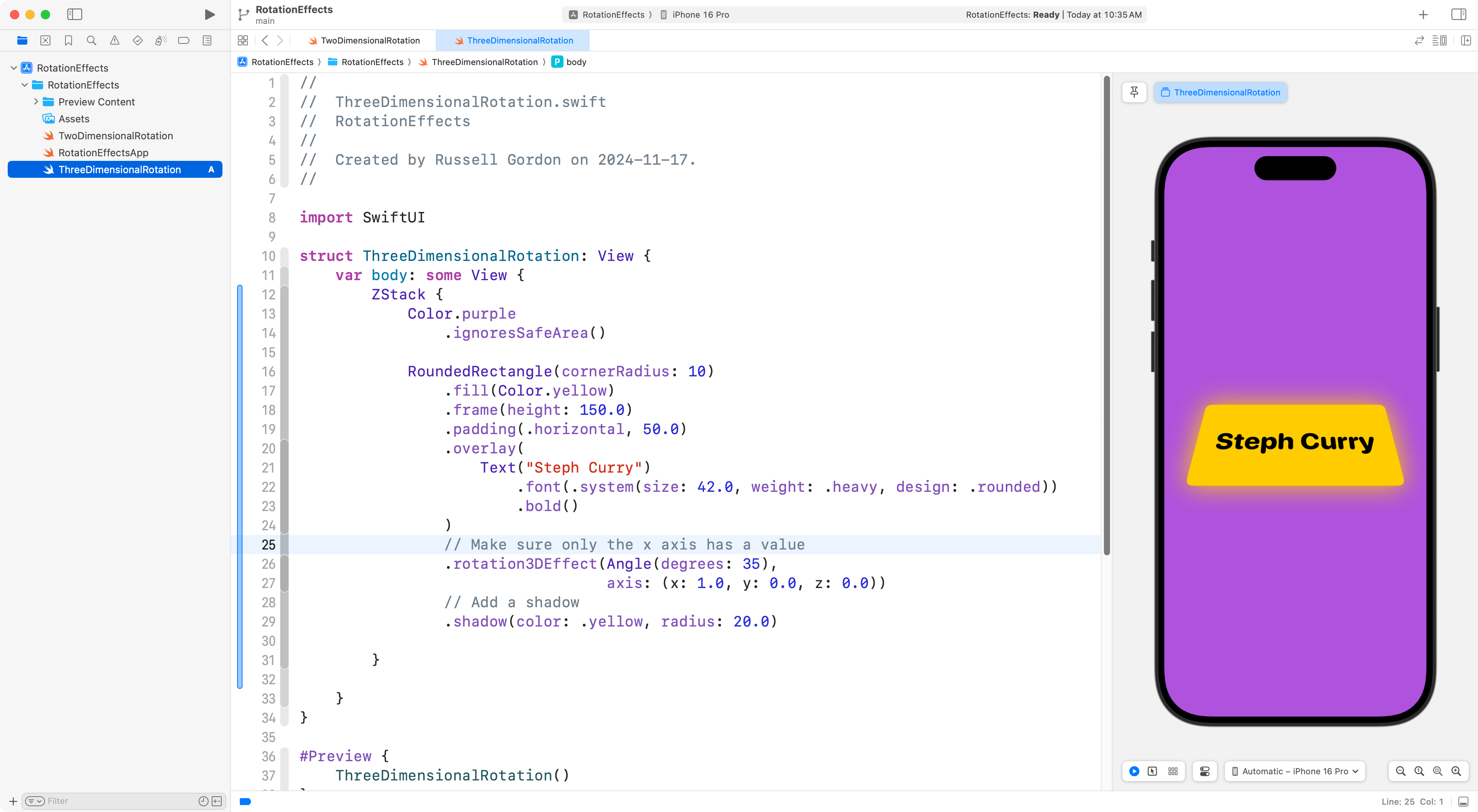
There is also a .rotation3DEffect view modifier.
Here is a short example of how this might be used to create a nice effect:
TIP
Read more about rotating views in three dimensions on page 904 of SwiftUI Views Mastery.
Custom colours
You can absolute create custom colours (or clone colours from existing apps or webpages).
Here is a mini-tutorial on how to create custom colour sets.
-1.png)
Gradients
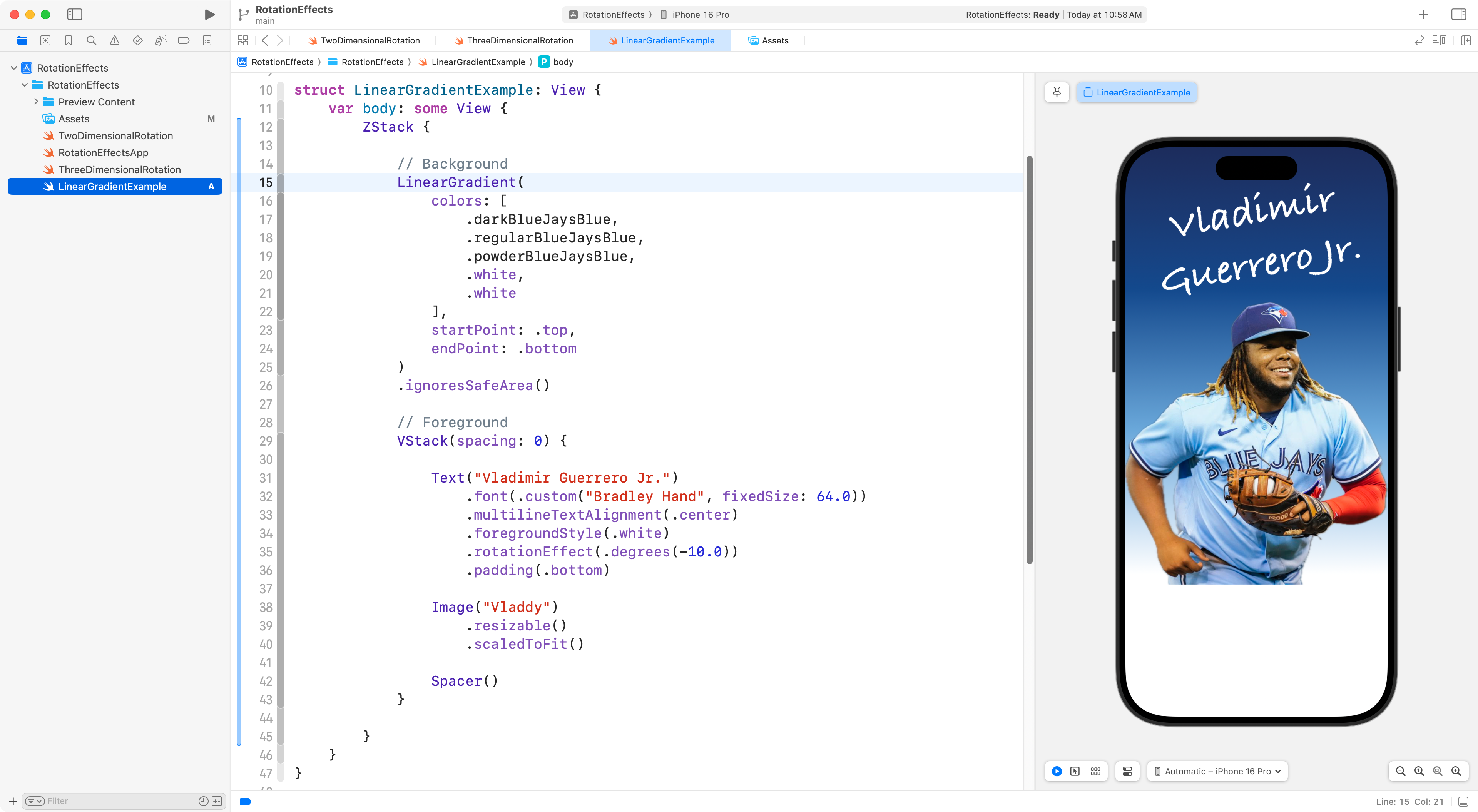
We can use gradients to fill a shape or as a background – a gradient is a transition from one colour to at least one other colour.
Here is an example of what this might look like, using a Blue Jays theme and some custom colors:
TIP
Read more about linear gradients on page 654 of SwiftUI Views Mastery.
There are other types of gradients you can use too (see page 639).
Image Editing
Sometimes it’s nice to be able to extract an image from a photograph, to use it in our apps:
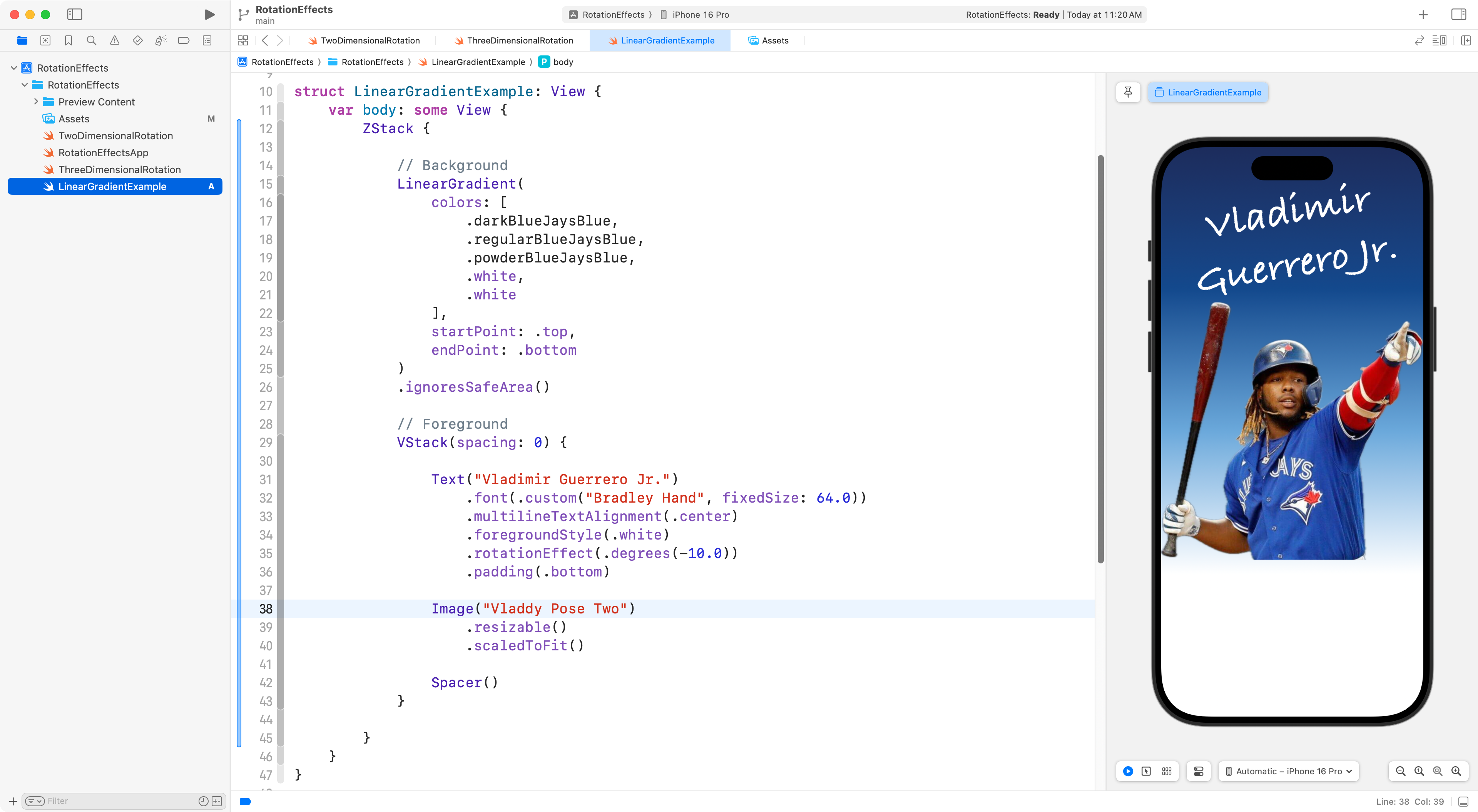
Read this mini-tutorial to learn how to extract the subject of a photograph from it’s background.
NOTE
It’s only acceptable to copy images like this from the Internet for an academic exercise like this one. Were you looking for images to use in an actual app you wish to release to the public, you would need to either purchase the rights to use that image, or find an image that is licensed for the uses you need.
Final advice
IMPORTANT
Do not use frames for positioning. Your layout should work well on multiple screen sizes.
Put another way, use frames only to size the width or height of an image, but not both.